Luminance and Contrast: Designing QR Codes for Real-World Cameras
Executive Summary
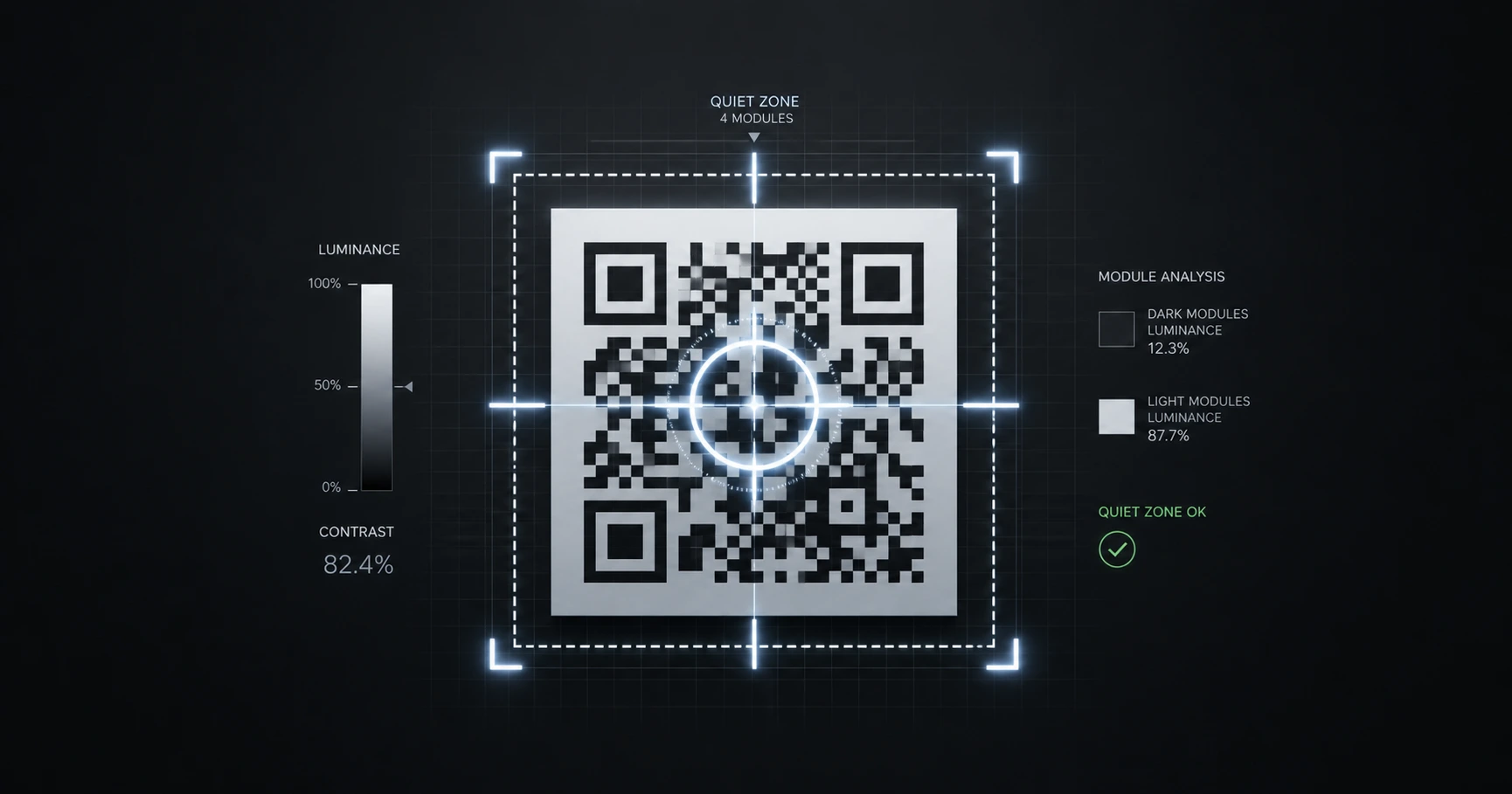
A smartphone camera does not see color; it sees luminance contrast. Designing a reliable QR code requires strict adherence to the "Quiet Zone" and mathematical contrast ratios, ensuring your custom branding never breaks the decoding algorithm.
The Physics of the Scanner: Why Color Theory Fails
When a mobile device scans a QR code, the software converts the image to grayscale to measure the luminance ratio between the dark modules and the light background. Graphic designers often make the mistake of using brand colors that look distinct to the human eye—such as a light blue code on a bright yellow background—but share nearly identical luminance values. To the scanner, this combination appears as a solid block of gray, resulting in instant scan failure. To maintain scannability, the foreground data modules must be significantly darker than the background. QRhub’s dynamic styling engine allows for advanced custom color configurations while maintaining the structural integrity required by global scanning standards, ensuring your brand identity never compromises physical utility.
The Functional Necessity of the Quiet Zone
The "Quiet Zone" is the blank margin surrounding the QR matrix. It is not an aesthetic suggestion; it is a mathematical requirement. The scanning algorithm uses this negative space to identify where the barcode begins and ends amid the visual noise of the physical world, such as surface glare and texture. If text, logos, or bounding boxes encroach upon this margin, the camera cannot isolate the three positional "eyes," and the code is rendered useless. Maintaining a minimum Quiet Zone equal to four data modules is an industry standard that guarantees the code can be read rapidly from various angles and distances.
Custom Styling Without Compromise
Balancing brand aesthetics with technical execution is the hallmark of professional physical marketing. A plain black-and-white code is reliable but often lacks corporate identity. Adding brand colors and center logos increases engagement, but only if the core contrast metrics and error correction levels are properly calibrated. QRhub handles this complex calibration automatically. By utilizing our premium dynamic solutions, designers can deploy custom styling across their physical assets, knowing that every code generated is backed by a Global Edge Infrastructure and optimized for millisecond response times. This allows brands to stand out visually without ever sacrificing technical performance.
Explore the Production Cluster

Try QRhub for free
Generate a professional-grade QR code with zero signup and zero funny business. Every generation includes our premium 8-piece high-resolution kit.
Related Questions
Why does my custom colored QR code work on my screen but fail when printed?
Screens emit light, artificially boosting the contrast between colors, while printed materials absorb light. A low-luminance color palette might pass on a bright monitor but fail under standard retail lighting. Always ensure your design has a high dark-to-light luminance ratio and utilize QRhub's high-resolution export kits to test accurate physical proofs.
Can I invert my QR code so the background is dark and the code is white?
While some modern smartphone cameras can read inverted QR codes, many older devices and standard barcode scanners cannot. For maximum global compatibility and reliability, it is highly recommended to stick to dark modules on a light background. QRhub focuses on standardized, universal scannability to ensure no customer is left behind by hardware limitations.