Matte vs. Gloss: The Definitive Guide to Printing QR Codes
Executive Summary
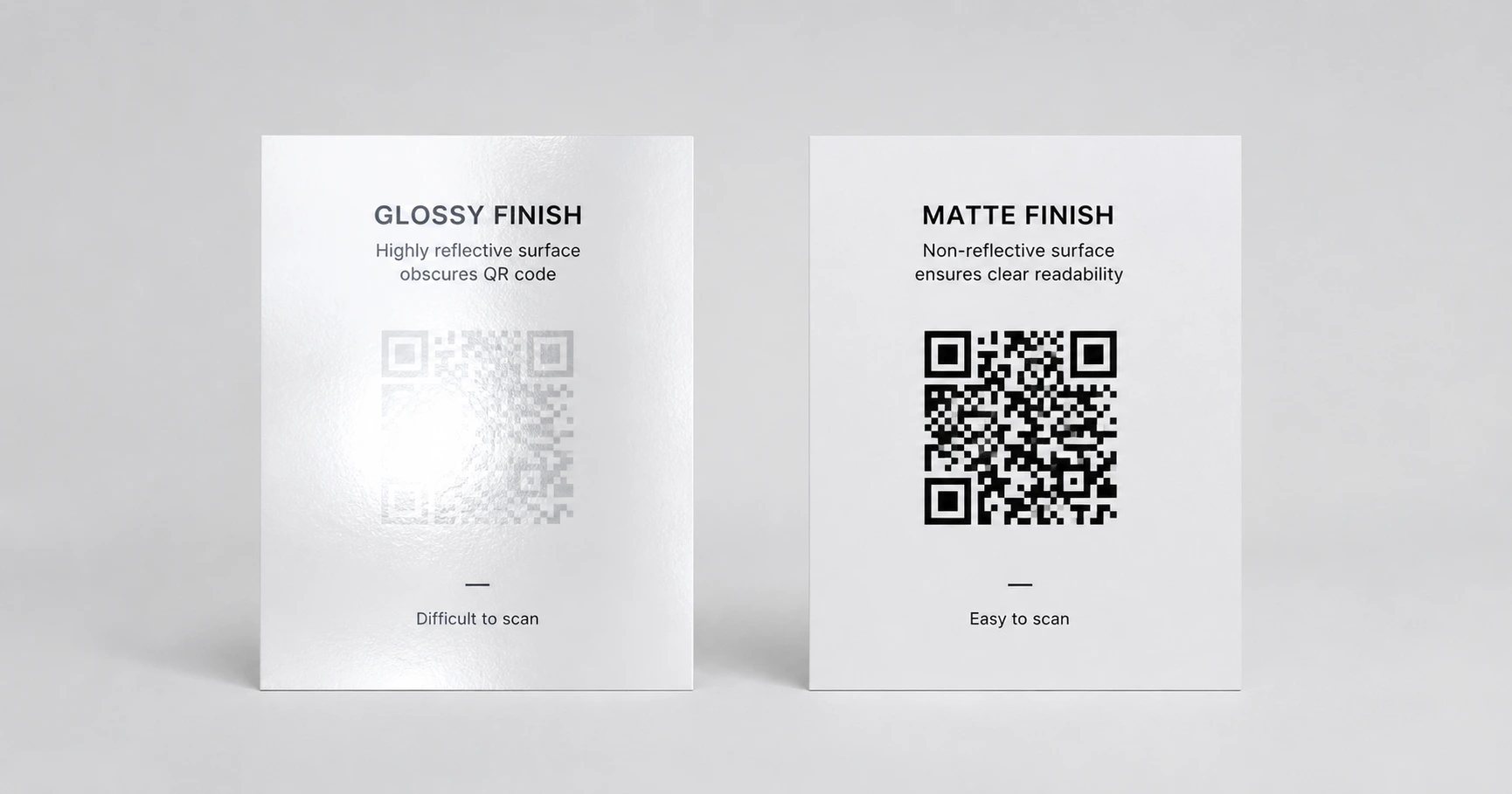
The physical finish of your printed collateral dictates its digital success. Glossy finishes create specular glare that blinds smartphone cameras, washing out contrast and causing scan failure. Printing on a matte medium is a fundamental requirement for maintaining reliable offline-to-online transitions.
How Does Glare Destroy Scannability?
Smartphone cameras rely on measuring the luminance contrast between the dark data modules and the light background to decode a matrix. When bright overhead retail lights or direct sunlight hits a glossy finish—like a laminated menu or a high-UV coated flyer—it creates a concentrated reflection called a specular highlight. This blinding white glare sits directly over the QR code, destroying the perceived contrast. If the camera lens cannot distinguish the sharp edges of the positional squares through the glare, the scanning algorithm fails instantly, resulting in severe customer drop-off.
The Case for Matte Finishes
A matte finish disperses light rather than reflecting it directly back at the camera lens. This creates a flat, uniform surface where the dark ink of the QR code maintains maximum contrast against the paper stock, regardless of the ambient lighting environment. For mission-critical physical marketing—such as storefront decals, direct mailers, or point-of-sale displays—specifying an uncoated or matte-coated stock is the single most effective production choice you can make. It guarantees that the code remains optically distinct and rapidly scannable from any angle.
Navigating Unavoidable Gloss
In certain industries, such as high-end cosmetics or beverage packaging, a glossy finish is an unavoidable requirement of the brand aesthetic. If you must print on a highly reflective surface, the geometry of the code becomes your primary defense. You must ensure the matrix edges are perfectly sharp so the camera has the best possible chance of locking on through the glare. QRhub supports this by providing a premium 8-piece high-resolution export kit with every generation. By utilizing the pure vector SVG format, you ensure that the baseline code is mathematically flawless, compensating for challenging physical surface conditions.
Explore the Production Cluster

Try QRhub for free
Generate a professional-grade QR code with zero signup and zero funny business. Every generation includes our premium 8-piece high-resolution kit.
Related Questions
Can I print a QR code on laminated paper?
Lamination creates a highly reflective surface that often causes scan failures under bright lights. If lamination is necessary for durability, opt for a matte laminate finish instead of high-gloss. QRhub's vector exports ensure the underlying code is sharp enough to maximize scanning reliability under these challenging conditions.
Does the type of ink matter when printing QR codes?
Yes, highly reflective or metallic inks can cause the same glare issues as glossy paper. For maximum reliability, the QR code modules should be printed using standard, flat matte ink to preserve high luminance contrast against the background.